Blog

Tech insights, repair tips, and behind-the-scenes looks at the print industry.
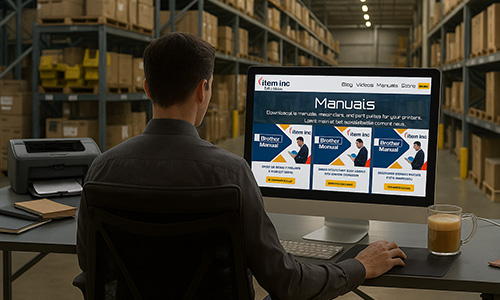
A white HP multifunction laser printer with a touchscreen display is sitting on a metal table. The touchscreen shows several colored app icons. The printer has an automatic document feeder on top and output trays below. The HP logo is visible on the front of the printer. In the bottom left corner, there is a logo for "item inc". The background is a blurred warehouse setting with shelves filled with cardboard boxes and bright lights on the ceiling.

HP MFP 4101 Series: Reliable, Efficient, and Flexible Printing for Modern Offices

Reliable HP MFP 4101 printer for offices and warehouses.

Professional office setup featuring a high-capacity Lexmark MS810 printer with an item,inc logo, printed data charts, and a computer monitor overlooking a metropolitan area.

Lexmark MS810de Review: Features, Specs, Maintenance and Parts Guide

Fast, durable Lexmark MS810de for busy office printing.

A Xerox VersaLink B400 printer displayed on a store counter inside an office-equipment aisle, with shelves of products blurred in the background and the Item Inc logo visible in the foreground.

Xerox VersaLink B400 Overview: Features, Care and Parts Replacement

Reliable Xerox B400 printer guide and key maintenance tips.

Photo-realistic image of a Lexmark MX622ade multifunction printer in a modern office setting, with stacks of paper on the desk and an Item, Inc. branded ream in the foreground.

Lexmark MX622ade Printer Guide: Features, Maintenance, and Parts

Lexmark MX622ade printer guide & parts.

Xerox VersaLink B600dn printer with NFC mobile printing—hand holding a smartphone beside the printer and a laptop showing a Secure Print login.

Xerox VersaLink B600dn: Fast Monochrome Workgroup Printer

Xerox B600dn: fast, secure duplex mono printing.

Photorealistic office scene showing a compact white laser printer on a tidy wooden desk, actively printing a black-text document into the output tray, with an Ethernet cable plugged in and soft daylight coming from the left.

HP LaserJet M402n Review: Speed, Specs, and Real-World Costs

HP LaserJet M402n in a modern office workspace.

Close-up view of a laser/scanner assembly unit for a laser printer, shown against a white background with red laser beams crossing diagonally. A caution label is visible, and the Item Inc. logo appears in the corner.

Inside the Laser Unit of Your Printer: How It Works and When It Fails

How your printer’s laser unit works and fails.

Close-up image of a printer transfer belt assembly on a white surface with a deep blue background. The black belt shows a subtle reflective CMYK gradient, and features include blue plastic levers and a white gear. The "item inc" logo is placed in the bottom left corner of the image.

Printer Transfer Belts Explained – How They Work, Care Tips, and Replacement Signs

How printer transfer belts work and when to replace

HP LaserJet Enterprise M527f multifunction printer on a sleek gray cabinet in a modern office, with blurred desks and chairs in the background, and 'item inc' logo at the bottom right.

HP LaserJet Enterprise MFP M527f: Fast, Secure, and Built for Busy Teams

Explore key features and print performance of the HP M527f.

Top-down view of a modern desk: a Xerox C310/DNI color laser printer is printing a vivid CMYK chart; nearby are a laptop, mouse, notebook, color swatch card, small potted plant, and branding text reading “Xerox C310/DNI” and “item inc.”

Xerox C310/DNI Review: 35-ppm Color Powerhouse for Smaller Teams

Xerox C310/DNI: fast, compact color laser for teams.

Split-screen image of two HP printer control panels, separated by a diagonal yellow line; the left panel shows a red warning triangle on a dark screen, while the right panel displays a white checkmark on a bright blue screen, symbolizing an error versus a successful reset.

Hard‑Reset Your HP DesignJet T730 / T830 to Clear Frozen Panels and Error Codes

Reset your HP DesignJet T730/T830 to fix common errors.

Konica Minolta bizhub C450i multifunction printer on a blue background with a red warning icon on its touchscreen and the Item Inc. logo in the corner.

Konica Minolta bizhub C450i / C550i / C650i: Clear Service-Call Errors with a 60-second Trouble Reset

60‑second reset clears bizhub C‑code errors fast.